Streamlining Educational Design with Professional Vector Assets
In the rapidly evolving landscape of digital content creation, visual communication has become just as critical as the text itself. Whether you are a graphic designer working on a university brochure, a teacher creating engaging classroom materials, or a developer building an e-learning platform, the need for high-quality, relevant imagery is constant. This is where a comprehensive collection of School and Education Icons becomes an indispensable resource. Rather than spending hours sketching basic symbols or searching through disjointed libraries for mismatched styles, professionals can leverage a unified set of 100 vector shapes to maintain consistency and save valuable time.
The Power of Vector Scalability in Modern Workflows
One of the most significant advantages of using vector-based assets over raster images (like JPEGs or PNGs) is scalability. When you work with .Ai, .EPS, or .SVG files, you are working with mathematical paths rather than pixels. This means that an icon of a graduation cap or a microscope can be scaled from the size of a favicon on a website to the dimensions of a billboard without any loss in quality. There is no pixelation, no blurriness, and no need to create multiple versions for different screen resolutions.
For web developers and UI/UX designers, this flexibility is crucial. Modern responsive design requires assets that look crisp on everything from a smartwatch to a 4K monitor. By utilizing School and Education Icons in SVG format, you ensure that your educational platform looks professional across all devices. Furthermore, SVGs are code-based, which allows for direct manipulation via CSS. You can change colors, add hover effects, or animate elements directly in the browser, providing a dynamic user experience that static images simply cannot match.
Diversity and Coverage: Beyond the Basic Apple
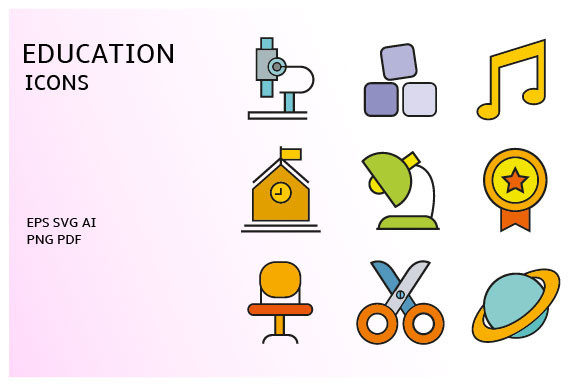
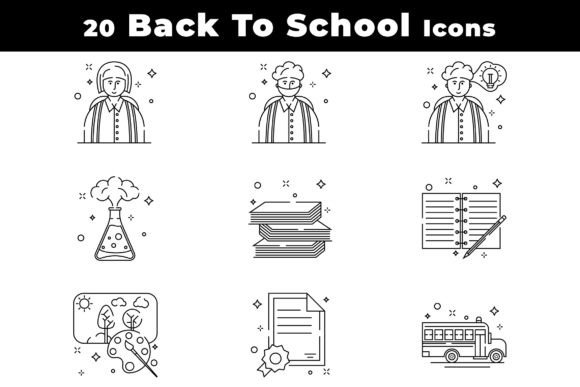
A common pitfall when purchasing icon sets is finding that they only cover the most obvious tropes. A robust collection of 100 vector shapes should go far beyond the standard apple and book. To truly support diverse educational narratives, the set must include a wide array of subjects and activities. Think about the specific needs of different departments within an institution. A science faculty might need detailed icons for chemistry flasks, DNA strands, and telescopes. An arts department would benefit from paintbrushes, palettes, and musical notes. Meanwhile, administrative offices require symbols for calendars, ID cards, buses, and cafeteria services.
When these School and Education Icons are well-organized, finding the right symbol becomes intuitive. Instead of scrolling through hundreds of unrelated items, a logical categorization allows you to locate a "geometry compass" or a "student laptop" in seconds. This organization is not just a convenience; it is a productivity multiplier. In fast-paced project environments, the ability to quickly drag and drop the correct asset into your layout can mean the difference between meeting a deadline and rushing at the last minute.
Full Editability: Customization for Brand Consistency
No two educational institutions have the same brand identity. A prestigious private academy may prefer sleek, minimalist lines, while a creative arts college might opt for bold, colorful, and playful shapes. The requirement for fully editable vectors is non-negotiable for professional use. When you have access to the source files in Adobe Illustrator (.Ai) or Encapsulated PostScript (.EPS), you gain complete control over every anchor point and stroke.
You can adjust the stroke width to match your brand guidelines, change the color palette to align with school colors, or even modify the shape of an icon to better fit a specific context. For instance, if your institution uses a specific style of backpack or a unique logo motif, you can tweak the existing vector shapes to incorporate those elements seamlessly. This level of customization ensures that your visual assets feel bespoke and tailored, rather than generic clip art. It allows designers to maintain a cohesive visual language throughout their projects, reinforcing brand recognition and trust.
Practical Applications Across Industries
The utility of a high-quality icon set extends far beyond traditional schooling. Consider the booming industry of online courses and MOOCs (Massive Open Online Courses). Platforms like Coursera, Udemy, or specialized corporate training portals rely heavily on clear visual cues to guide users through complex curricula. Icons serve as navigational aids, helping learners quickly identify course categories, difficulty levels, and certification types. A well-designed set of School and Education Icons can significantly enhance the user interface, making the learning journey more intuitive and less intimidating.
In the realm of print media, these vectors are equally valuable. Textbooks, worksheets, and informational flyers benefit from clean, simple graphics that complement the text without overwhelming it. Because the files are vector-based, they print sharply at any size, ensuring that handouts and posters look professional. Even in app development for children’s education, where engagement is key, playful and recognizable icons can make interfaces more friendly and accessible to young users who may not yet be proficient readers.
Technical Compatibility and Ease of Use
For many users, the technical barrier to entry can be a concern. However, modern vector formats are designed to be versatile. The inclusion of .SVG files ensures compatibility with web browsers and modern design tools like Figma, Sketch, and Adobe XD. For those who prefer traditional desktop publishing or advanced illustration, the .Ai and .EPS files provide the necessary depth and layer structure. A ZIP file containing all these formats ensures that regardless of your software preference or project requirements, you have the right tool for the job.
Moreover, well-organized layers within the source files make editing straightforward. Each icon should be grouped logically, with named layers that make sense. This attention to detail saves designers from the frustration of untangling messy paths. It allows for efficient batch processing if you need to apply global changes, such as updating the primary color across all 100 icons to match a rebranding effort.
Choosing the Right Asset for Your Project
When evaluating a set of School and Education Icons, consider the stylistic consistency. Do all icons share the same line weight? Is the perspective uniform? Inconsistent styles can make a design look amateurish. A professional set will maintain strict geometric harmony, ensuring that a pencil icon looks like it belongs in the same family as a globe icon. This coherence is vital for creating polished, credible materials.
Additionally, think about the longevity of the design. Trends in iconography come and go, but classic, clean designs tend to remain relevant longer. Avoid overly trendy effects like excessive gradients or shadows unless they specifically suit your current campaign. Simple, flat, or outline-style vectors offer the most flexibility and tend to age better. They are easier to read at small sizes and translate well across different media types.
Ultimately, investing in a comprehensive, editable, and well-organized vector pack is an investment in efficiency and quality. It empowers creators to focus on the message and the user experience rather than getting bogged down in the mechanics of asset creation. Whether you are designing a new school website, updating a curriculum guide, or launching an educational app, having 100 versatile, high-quality School and Education Icons at your disposal provides the foundation for visually compelling and effective communication.
By prioritizing formats that offer both ease of use and deep customization, you future-proof your design workflow. The ability to adapt these assets to various contexts—from digital screens to printed pages—ensures that your educational content remains accessible, engaging, and professionally presented. In a world where attention spans are short and visual clutter is high, clear, consistent, and high-quality icons are not just decorative elements; they are essential tools for effective learning and communication.