School Laptop Education: Digital Design Assets
In the rapidly evolving landscape of educational technology, visual communication plays a pivotal role in how institutions present themselves to students, parents, and staff. Whether you are an administrator updating a school website, a marketer creating brochures for enrollment periods, or a teacher designing engaging classroom materials, having access to high-quality, relevant imagery is essential. This is where specialized digital assets like School Laptop Education designs come into play. These resources are not merely decorative; they are functional tools that help bridge the gap between complex technological concepts and accessible learning environments.
When we discuss the integration of technology in classrooms, the laptop has become the universal symbol of modern education. It represents access, connectivity, and the future of learning. However, finding the right visual representation that feels authentic rather than generic can be challenging. Stock photos often feel staged, and custom photography is expensive and time-consuming. High-resolution digital files offer a scalable, professional alternative that maintains brand consistency across various media platforms.
The Value of Professional-Grade Digital Files
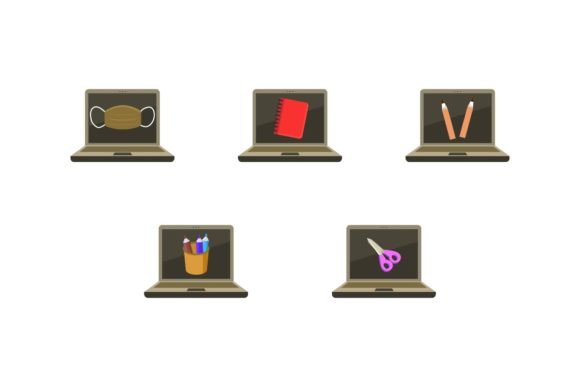
The core value of this product lies in its versatility and technical quality. You receive five distinct digital files, each optimized for different use cases. The canvas size of 1920px by 1280px ensures that the imagery remains crisp on high-definition screens, from large desktop monitors to tablet displays. This resolution is particularly important for web headers, presentation slides, and digital signage, where pixelation can undermine credibility.
Having multiple file formats is not just a convenience; it is a necessity for professional workflows. Here is a breakdown of what you get and why each format matters:
- AI File: Ideal for designers using Adobe Illustrator. This vector-based format allows for infinite scalability without loss of quality, making it perfect for large-format printing like banners or billboards.
- EPS File: A universal vector format compatible with most graphic design software. It ensures that your design elements remain editable and sharp regardless of the application used.
- SVG File: Essential for web development. SVGs are lightweight and scale perfectly on responsive websites, ensuring fast load times and clear visuals on mobile devices.
- JPG File: The standard for photographs and web images. It is widely supported and easy to share, making it suitable for social media posts, email newsletters, and blog featured images.
- PNG File: Offers transparency support, which is crucial for overlaying graphics onto different backgrounds or integrating them into complex layouts without unsightly white boxes.
This comprehensive package means you do not need to convert files or worry about compatibility issues. You can hand these assets directly to your web developer, print vendor, or internal marketing team, knowing they have the right tools for the job.
Practical Applications in Educational Marketing
For schools and educational institutions, branding is increasingly competitive. Parents and students are looking for signs of modernity and preparedness. Using School Laptop Education themed graphics in your enrollment campaigns can subtly communicate that your institution is tech-forward and ready for the digital age. These images work exceptionally well in landing pages dedicated to STEM programs, online learning modules, or hybrid classroom initiatives.
Consider the homepage of a private academy or a community college. A hero image featuring a clean, modern laptop setup with educational icons can instantly set the tone. It suggests organization, clarity, and focus. Unlike candid photos that might include distracting backgrounds or inconsistent lighting, these digital designs offer a controlled aesthetic that aligns with professional branding guidelines. You can easily adjust colors to match your school’s palette, ensuring seamless integration with your existing visual identity.
Enhancing Classroom Materials
Beyond marketing, educators can leverage these assets to create more engaging learning materials. A history teacher creating a slide deck on the evolution of communication might use these graphics to illustrate the current digital era. Similarly, IT instructors can use them in syllabi, course outlines, or certification badges. The clean lines and professional appearance help maintain student attention and lend authority to the content being presented.
For those developing e-learning courses, consistency is key. Using the same style of imagery throughout a module helps reduce cognitive load for learners. When students recognize the visual language, they can focus more on the content rather than processing disparate design styles. The ease of editing these files means you can customize text or icons to suit specific lesson plans, making the material feel bespoke and tailored.
Efficiency for Creators and Freelancers
If you are a freelancer, blogger, or content creator specializing in the education niche, time is your most valuable resource. Creating original illustrations from scratch can take hours, if not days. By utilizing pre-made, high-quality assets like these, you can significantly reduce production time while maintaining high standards. This efficiency allows you to take on more clients or focus on other aspects of your business, such as strategy and client communication.
Moreover, the ability to edit these files means you are not locked into a rigid template. You can rearrange elements, change colors, or add your own text overlays. This flexibility is crucial for meeting diverse client needs. One client might want a minimalist look for a corporate training manual, while another might prefer a vibrant, colorful design for a children’s coding camp. The same base asset can serve both purposes with minor adjustments.
Technical Considerations for Implementation
When implementing these designs, keep a few best practices in mind. First, always start with the vector formats (AI, EPS, SVG) if you plan to resize the image significantly. This ensures that edges remain smooth and text stays legible. For web use, optimize the JPG or PNG files to balance quality and file size. Large images can slow down page load times, which negatively impacts user experience and SEO rankings.
Second, consider accessibility. If you are using these images on websites, ensure that you add appropriate alt text describing the content. For example, "Student using a laptop for online learning" is more descriptive and helpful for screen readers than "laptop image." This practice not only improves accessibility but also boosts your search engine visibility.
Finally, think about context. While these designs are versatile, they should complement your message, not overpower it. Use whitespace effectively to let the imagery breathe. Pair these graphics with clear, concise copy that reinforces the theme of modern education. The goal is to create a cohesive narrative where visuals and text work together to inform and engage your audience.
Building Trust Through Visual Consistency
In the digital age, first impressions are often visual. A polished, professional appearance signals competence and reliability. By investing in high-quality design assets, you are investing in your institution’s or brand’s reputation. School Laptop Education graphics provide a straightforward way to elevate your visual content without the steep learning curve of advanced graphic design or the high cost of custom photography.
Whether you are launching a new online course, updating your school’s website, or creating promotional materials for a tech workshop, these files offer the flexibility and quality needed to succeed. They are practical tools for anyone looking to communicate the value of modern education through clear, compelling visuals. Thank you for considering this resource for your next project. With the right assets in hand, you can focus on what truly matters: delivering exceptional educational experiences.