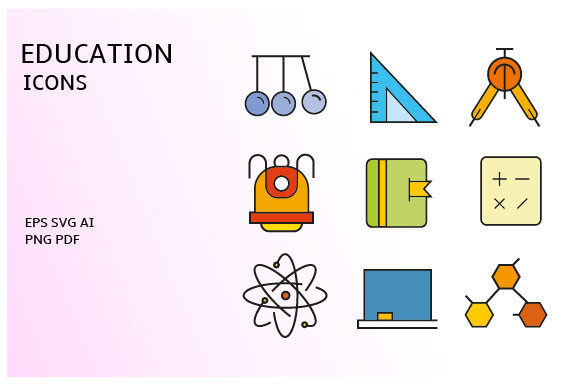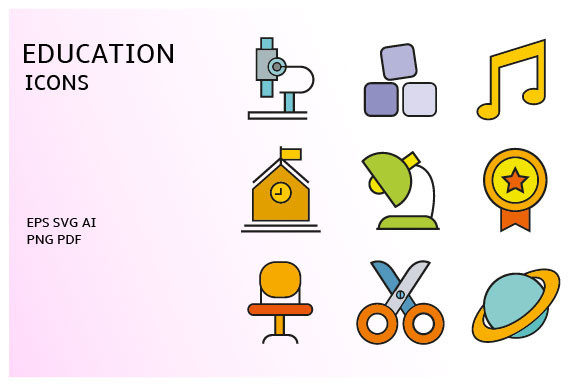
Streamlining Visual Communication with the School and Education Icons Vector Set
In the fast-paced world of digital content creation, visual consistency is not merely an aesthetic choice; it is a functional necessity. Whether you are an educator designing an online course, a marketer building a landing page for a tutoring service, or a developer creating an educational app, the speed at which you can produce high-quality assets directly impacts your project timeline. This is where a comprehensive resource like the School and Education Icons Vector Set becomes an integral part of your workflow. Rather than spending hours drawing custom graphics or searching through disjointed libraries for matching styles, this collection offers a centralized solution that integrates seamlessly into professional design processes.
The value of this asset lies in its versatility and technical robustness. It is not just a folder of images; it is a structured toolkit designed to support various stages of production. By understanding how to leverage the different file formats included—AI, EPS, SVG, PDF, and transparent PNGs—you can optimize your efficiency across print, web, and mobile platforms. This article explores how to effectively incorporate this icon set into your creative and business workflows, ensuring that your visual communication remains clear, consistent, and professional.
Integrating Vector Assets into Your Design Workflow
Before diving into the actual design work, preparation is key. When you acquire the School and Education Icons Vector Set, you are receiving a zipped file containing multiple formats. The first step in any efficient workflow is organization. Create a dedicated folder in your project directory for assets. Unzip the file and review the contents. You will find that each icon is separated, which saves significant time compared to navigating complex layered files where you must isolate individual elements manually.
For designers working in Adobe Illustrator or similar vector-based software, the AI and EPS files are your primary resources. These formats allow for infinite scalability without loss of quality. This is crucial when you need to adapt an icon for different contexts—for example, using a small version for a mobile navigation bar and a large version for a printed brochure header. Because these are vector files, you can edit anchor points, change stroke weights, and adjust colors to match your brand guidelines precisely. This level of customization ensures that the icons do not look like generic clip art but rather like bespoke elements tailored to your specific project identity.
If your workflow involves web development or UI/UX design, the SVG files are indispensable. SVGs are code-based vectors that render sharply on all screen resolutions, including high-density Retina displays. They are also lightweight, which contributes to faster page load times—a critical factor for SEO and user experience. By embedding SVGs directly into your HTML or CSS, you maintain control over the icon’s appearance through styling rules, allowing for dynamic changes such as hover effects or color shifts based on user interaction.
Practical Applications Across Different Projects
The utility of the School and Education Icons Vector Set extends beyond traditional classroom settings. In today’s digital economy, education-related visuals are used in diverse industries. Consider a corporate training manager developing an internal learning management system (LMS). Consistent iconography helps users navigate complex modules quickly. Icons representing books, graduation caps, certificates, and online lectures provide immediate visual cues that reduce cognitive load. By using a unified set, you ensure that the interface feels cohesive and intuitive.
Similarly, bloggers and content marketers can use these icons to break up text-heavy articles. Visual breaks improve readability and keep readers engaged. For instance, if you are writing a guide on "How to Choose the Right Online Course," you can use specific icons from the set to highlight key steps or tips. The transparent background PNGs are particularly useful here. If you are not comfortable editing vector files, you can simply drag and drop the high-resolution PNGs into your content management system or graphic design tool like Canva or Photoshop. The transparency ensures that the icons blend seamlessly with any background color or image, maintaining a polished look.
Entrepreneurs launching ed-tech startups will find this set invaluable for pitch decks and marketing materials. Investors and potential customers respond well to clean, professional visuals. Using a consistent icon set across your website, social media graphics, and presentation slides reinforces brand recognition. It signals attention to detail and professionalism. Instead of mixing styles from different sources, which can make a brand appear amateurish, relying on a single, comprehensive set like this one creates a harmonious visual language.
Ensuring Compatibility and Quality Control
One of the common challenges in digital design is format compatibility. Not every team member uses the same software. A freelancer might prefer Affinity Designer, while a client uses CorelDRAW, and the development team works with SVG code. The inclusion of PDF files in this set bridges some of these gaps. PDFs are universally viewable and can often be imported into various design applications. This flexibility reduces friction in collaborative environments where assets need to be shared and reviewed by multiple stakeholders.
Quality control is another critical aspect. When using free or low-cost icons from disparate sources, you often encounter inconsistencies in line weight, style, and perspective. One icon might be outlined, while another is filled; one might have rounded corners, while another is sharp. These discrepancies distract the viewer and undermine the credibility of your content. The School and Education Icons Vector Set mitigates this risk by providing a uniform design language. All 100 icons share the same stylistic DNA, ensuring that whether you are using a pencil icon or a microscope icon, they look like they belong together.
Furthermore, the resolution of the PNG files matters. Low-resolution images appear pixelated on modern screens, damaging the perceived quality of your work. This set provides high-resolution PNGs on transparent backgrounds, ensuring clarity even when scaled up moderately. However, for maximum flexibility, always prioritize the vector formats (AI, EPS, SVG) whenever possible. Reserve the PNGs for quick implementations or platforms that do not support vector graphics.
Long-Term Efficiency and Asset Management
Investing in a comprehensive icon set is a decision that pays dividends over time. Instead of purchasing individual icons or subscribing to multiple services, having a robust library like this allows you to build a reusable asset bank. As you complete projects, save customized versions of these icons in your brand kit. Over time, you will develop a library of pre-styled assets that can be deployed instantly for new campaigns or updates. This approach significantly reduces the time spent on repetitive tasks.
Moreover, consider the semantic relevance of the icons. Search engines and accessibility tools rely on proper labeling. When using SVGs, ensure you add appropriate title and description tags. This practice not only improves accessibility for users with visual impairments but also enhances SEO by providing context to search engines about the content associated with the icons. The clear, recognizable nature of these education-themed icons helps convey meaning quickly, supporting both human users and automated systems.
In conclusion, the School and Education Icons Vector Set is more than a collection of graphics; it is a strategic tool for enhancing productivity and visual coherence. By understanding the strengths of each file format and integrating them thoughtfully into your workflow, you can elevate the quality of your educational content, marketing materials, and digital products. Whether you are a solo creator or part of a larger team, adopting a structured approach to asset management using high-quality, versatile icons will streamline your processes and allow you to focus on what truly matters: delivering value to your audience.